Wavetek 39A Specifikace Strana 37
- Strana / 137
- Tabulka s obsahem
- KNIHY


- WARRANTY 3
- Exclusion of Other Warranties 3
- DECLARATION OF CONFORMITY 4
- Model 301 and Model 302 4
- SAFETY PRECAUTIONS 5
- Table of Contents 6
- 301/302 User Manual 10
- Table of Figures 10
- Getting Started 12
- Introduction 13
- Input and Output 16
- Connectors 16
- Operating Modes 17
- Continuous Mode 18
- Triggered Mode 18
- Burst Mode 18
- Gated Mode 18
- Output Type 18
- Standard (Fixed) 19
- Waveforms 19
- Arbitrary (User) 19
- Sequenced 20
- Output State 22
- Front Panel 22
- Indicators 22
- Programming The 22
- Model 301/302 22
- CONFIGURING The INSTRUMENT 23
- Performance 24
- Requirements 24
- Preparation For 26
- Logical Address 26
- Selection 26
- Installation 27
- Bench Operation 27
- Rack Mounting 27
- USING The INSTRUMENT 28
- Power On/Reset 29
- Defaults 29
- Programming the 29
- :VOLTage 2; 30
- ÷ 2) ≤ 5 30
- Controlling the 31
- 301/2 Using 31
- WaveWiz 31
- Controlling 33
- Instrument 33
- Functions 33
- Using the APPLy 33
- Selecting the 36
- Active Channel 36
- Enabling the Main 37
- Selecting an 38
- Selecting a 39
- Standard 39
- Function Shape 39
- Changing the 42
- Frequency and 42
- Sample Clock 42
- External SCLK 43
- Output Amplitude 44
- Filter Type 45
- Operating Mode 46
- Selecting the Trigger 49
- Using the Internal 50
- Trigger Generator 50
- Assigning the 52
- Source For The 52
- SYNC Output 52
- Generating 53
- Arbitrary 53
- What Are 54
- Waveforms? 54
- Arbitrary Memory 55
- Management 55
- Loading Arbitrary 56
- Reversing Byte 58
- Using WaveWiz to 59
- Generate 59
- Using Equation 62
- Editor to Generate 62
- User Manual 301/302 68
- Configuring the Instrument 68
- Fast Binary 72
- Sequence Table 72
- Download 72
- Selecting active 74
- Sequence 74
- Running 75
- Sequences 75
- Using WaveWiz 75
- Advance 77
- Advance Source 78
- Sequences with 79
- Sequences with 80
- Adjusting Phase 84
- Offset Between 84
- Channels 84
- Amplitude 86
- Modulation 86
- System-Related 86
- SCPI Commands 87
- SCPI COMMAND REFERENCE 89
- Query Response 90
- SCPI Command Reference 91
- Subsystem 106
- INSTrument 110
- Trigger 111
- IEEE-STD-488.2 119
- Commands and 119
- Registers 120
- The SCPI Status 120
- The Status Byte 121
- Register (STB) 121
- Generation 122
- Standard Event 124
- Status Register 124
- Status Enable 125
- Register (ESE) 125
- Error Messages 125
- Device-Specific 128
- Commands 128
- Appendix A SPECIFICATIONS 130
- Triangle 131
- Pulse/Ramp 131
- ARBITRARY WAVEFORMS 132
- SEQUENCED SEQUENCES 133
- OUTPUTS (CHANNELS A & B) 134
Bmr-suspension XSB005 Handbücher
Bedienungsanleitungen und Benutzerhandbücher für Für das Auto Bmr-suspension XSB005.
Wir stellen 1 PDF-Handbücher Bmr-suspension XSB005 zum kostenlosen herunterladen nach Dokumenttypen zur Verfügung Bedienungsanleitung
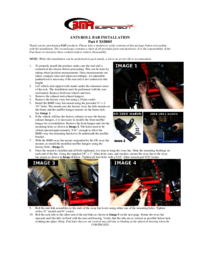
Bmr suspension XSB005 Bedienungsanleitung (2 Seiten)
Marke: Bmr-suspension | Kategorie: For the car | Größe: 0.21 MB |

Inhaltsverzeichnis
Weitere Produkte und Handbücher für Für das Auto Bmr-suspension
| Modelle | Dokumententyp |
|---|---|
| SP029 |
Bedienungsanleitung
BMR Suspension SP029 User Manual,
3 Seiten
|
| BK004 |
Bedienungsanleitung
BMR Suspension BK004 User Manual,
2 Seiten
|
| BK002 |
Bedienungsanleitung
BMR Suspension BK002 User Manual [es] ,
4 Seiten
|
| BK009 |
Bedienungsanleitung
BMR Suspension BK009 User Manual,
1 Seiten
|
| BK010 |
Bedienungsanleitung
BMR Suspension BK010 User Manual,
2 Seiten
|
| BK011 |
Bedienungsanleitung
BMR Suspension BK011 User Manual,
2 Seiten
|
| BK005 |
Bedienungsanleitung
BMR Suspension BK005 User Manual,
5 Seiten
|
| ELK007 |
Bedienungsanleitung
BMR Suspension ELK007 User Manual [es] ,
1 Seiten
|
| DSL018 |
Bedienungsanleitung
BMR Suspension DSL018 User Manual,
2 Seiten
|
| ELK008 |
Bedienungsanleitung
BMR Suspension ELK008 User Manual,
1 Seiten
|
| SB012 |
Bedienungsanleitung
BMR Suspension SB012 User Manual,
1 Seiten
|
| SB013 |
Bedienungsanleitung
BMR Suspension SB013 User Manual [es] ,
1 Seiten
|
| AS001R |
Bedienungsanleitung
BMR Suspension AS001R User Manual,
1 Seiten
|
| CV001 |
Bedienungsanleitung
BMR Suspension CV001 User Manual,
1 Seiten
|
| SFC013 |
Bedienungsanleitung
BMR Suspension SFC013 User Manual,
2 Seiten
|
| DB001 |
Bedienungsanleitung
BMR Suspension DB001 User Manual,
1 Seiten
|
| DS003 |
Bedienungsanleitung
BMR Suspension DS003 User Manual [es] ,
1 Seiten
|
| STB012 |
Bedienungsanleitung
BMR Suspension STB012 User Manual,
3 Seiten
|
| DSL009 |
Bedienungsanleitung
BMR Suspension DSL009 User Manual,
1 Seiten
|
| SFC007 |
Bedienungsanleitung
BMR Suspension SFC007 User Manual,
1 Seiten
|
© 2020, manymanuals.cz. Všechna práva vyhrazena. | 0.025 s |
 Manymanuals.com
 Manymanuals.de
 Manymanuals.fr
 Manymanuals.it
 Manymanuals.pl
 Manymanuals.cz
 Manymanuals.es
 Manymanuals-pt.com
Komentáře k této Příručce